You want to record your guitar but you have no amp, or you do not want to disturb the neighbors: it is perfectly possible, and the result can even be cleaner than a microphone placed in front of a speaker. The key is to capture the signal directly, then shape it with an amp simulator. Here is how to record your guitar without an amp, from the simplest connection to the most complete setup.
How to record your guitar without an amp?
The most common solution is to plug the guitar into an audio interface connected to the computer, then use software or an amp simulator that reproduces the sound of an amp and its effects. For an electric guitar, the direct signal is weak but perfectly usable with an interface that has an instrument input. An acoustic guitar can be recorded with a microphone, or through the jack output if it is fitted with a preamp.
The great strength of this method is flexibility: you can change amp, effects and settings after recording without redoing the take. The final sound then depends as much on the software used as on your playing, which opens up an immense creative field.
Do you need an audio interface to record your guitar?
Yes, an audio interface is the essential piece for connecting an electric guitar to a computer without loss of quality. It converts the guitar's analog signal into a digital signal, with a preamp suited to the impedance of a guitar. Entry-level interfaces already deliver quality that is more than enough for home use.
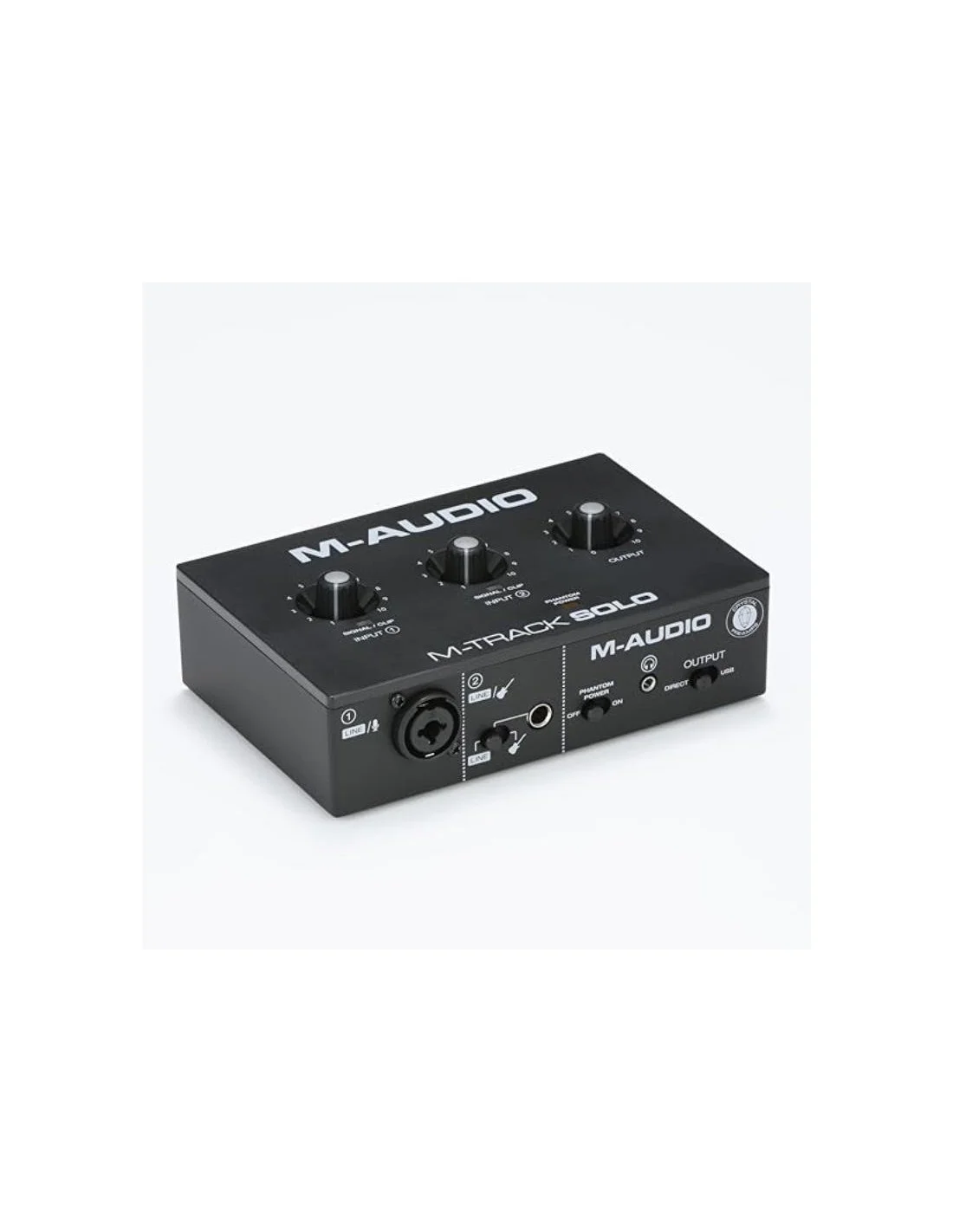
Choose an interface with at least one instrument input and, if possible, a headphone output so you can play without disturbing anyone. Two-input models let you record guitar and vocals simultaneously. We have a selection of audio interfaces suited to every budget, from entry-level models to studio gear.
Which software should you use to simulate an amp?
Three families of software can simulate an amp: standalone simulators, plugins inside a DAW, and complete programs with built-in effects. Standalone simulators are the simplest: you choose an amp, a cabinet and effects, then record directly. Plugins offer more control and fit into a complete recording chain.
Most simulators include models of famous amps, cabinet simulations and effects such as reverb, delay or distortion. Modern profiling and modeling solutions can even reproduce the sound of a real amp, as explained in our articles about HeadRush, Two Notes and Kuassa.
How to connect your guitar without an interface?
Without an audio interface, you can plug the guitar straight into the microphone or line input of the computer via a jack-to-minijack adapter. The result is often noisy and weak, because the input is not matched to a guitar's impedance, but it can get you by for a first take. Guitars fitted with an active preamp deliver a stronger signal that is more usable direct.
Another interface-free solution is to use an amp or a digital pedalboard with a USB output: the signal then goes straight into the computer like an audio interface. It is an excellent option if you already own this type of gear.
🧑💼 The Green Musicians tip
For a natural sound without an amp, record two takes: one with the sound simulated by your software, and one dry signal with the effects in the monitoring path only. You will then be able to reprocess the dry signal later, and you will always keep a clean version of your performance.
How to record an acoustic guitar without an amp?
An acoustic guitar can be recorded without an amp in two ways: with a room microphone placed in front of the body, or through the jack output if the guitar has a preamp. The room microphone captures the natural sound of the body, with the grain of the wood and the air of the room. The jack take is simpler and more isolated, but the sound is more "direct" and less alive.

For a balanced result, many guitarists combine both: a microphone track for naturalness, a jack track for clarity, then a light mix. This technique gives a wide, present sound, ideal for fingerpicking or accompaniment guitar.
How to get a good recorded guitar sound?
The sound of a guitar recorded without an amp depends on three factors: the quality of the input signal, the simulator settings and the final processing. Keep the input signal at a moderate level to avoid digital clipping, choose an amp simulation consistent with the style you are playing, then add light compression and a touch of reverb to sit the guitar into the mix.
Avoid overloading the signal with too much processing: a guitar recorded "flat" through a good simulator is often easier to mix than a sound that is already heavily shaped. Listening on headphones or on monitor speakers is essential for judging the bass and the mids.
⚠️ Mistakes to avoid
- ❌ Clipping the input: too hot a signal causes unpleasant digital distortion. Set the input level to stay in a comfortable zone.
- ❌ Stacking simulations: two amp simulators in a row give a mushy sound. One single, well-adjusted simulation is enough.
- ❌ Forgetting the dry signal: recording only the processed sound stops you from changing the tone later. Always keep a dry track.
FAQ - Recording your guitar without an amp
Can you plug a guitar directly into a computer?
Yes, with a jack-to-minijack adapter, but the signal will be weak and noisy. An audio interface or a USB pedalboard gives a far better result and remains the recommended option.
Which audio interface should you use to record your guitar?
An entry-level interface with an instrument input and a headphone output is enough for home use. Two-input models let you add vocals or a second guitar.
Does an amp simulator really replace an amp?
For recording and headphone listening, yes: modern simulators faithfully reproduce the sound of amps and cabinets. For playing live, an amp often remains simpler and more punchy.
How do you avoid parasitic noise when recording?
Use an interface with a good instrument input, keep electrical sources away, and keep the cables short. A light noise gate in the software cleans the silence between notes.
Do you need a microphone to record an electric guitar?
No, an electric guitar records very well in direct through its jack output. A microphone only becomes useful for capturing the ambience of a real amp, which is unnecessary without an amp.
What output level should you set on the interface?
Aim for a level where the signal is strong and clean without hitting the red of clipping. Most software shows a level meter: stay around minus 12 to minus 6 decibels.
And that's it! We hope this article helped you understand how to record your guitar without an amp. All that's left is to browse Green Musicians to find the audio interface of your dreams at the best price.
We offer a complete catalog of musical instruments featuring brands from all over the world such as Fender, Gibson, Martin, Taylor, Ibanez and many more. Whether you are an amateur or a professional musician, our marketplace is designed to bring you the best of music.
Green Musicians is also the music marketplace where everyone can sell or buy music gear with total confidence: new, refurbished and used instruments, as well as software, plugins, sheet music and samples.
For any question or comment about this article, or if you would like to suggest an article topic, feel free to speak up below.

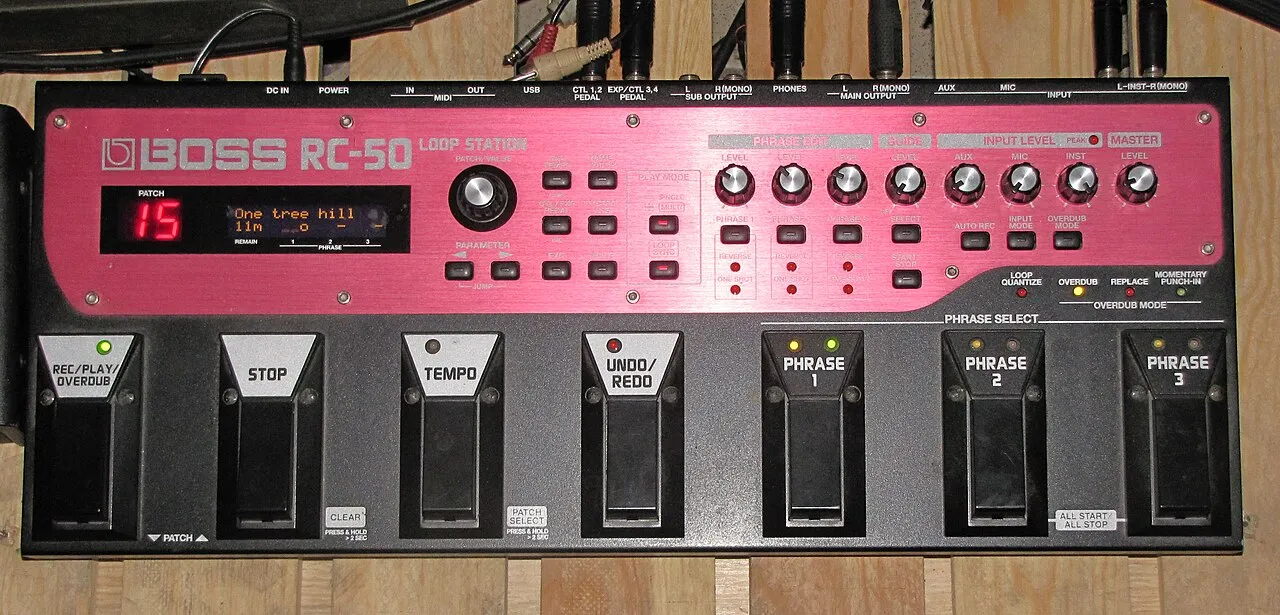 What is a looper and how to use it?What is a looper and how to use it? The loop principle, choosing a model, practicing, composing and playing live: the complete beginner's guide.Read more
 How long does it take to learn the drums?How long does it take to learn the drums: first grooves, first songs and independence. The realistic benchmarks and the right practice rhythm.Read more
 Vestax: Japanese legend of DJ equipment and vinyl turntablesVestax, founded in Tokyo in 1977, made DJing history with its revolutionary vinyl turntables and legendary mixers. A look back at the legacy of a cult brand that continues to inspire DJs around the world.Read more
 Hagstrom: Swedish guitars and basses since 1958Hagstrom, Swedish guitar excellence since 1958.Read more
 Altamira: classical and flamenco guitars inspired by Spanish traditionAltamira offers classical, flamenco, gypsy jazz guitars and historical replicas inspired by Spanish tradition. From beginner to concertist, discover authentic lutherie at the right price.Read more
 NoiseWorks VoiceAssist: cleaner vocals in less timeWhat if the next real upgrade to your studio were not a new microphone or a preamp, but time? That is the question NoiseWorks raises with VoiceAssist, a plugin that tackles the least creative part of vocal work: cleanup. Background noise, room reverb,Read more
 How to sound a band rehearsal?How to sound a band rehearsal: gear, speaker placement, volume balance and voice amplification for effective rehearsals that protect your hearing.Read more
 How to get a good stage monitor mix?How to get a good stage monitor mix: gear, console connections, volume settings without feedback and placement tips for musicians.Read more
 Which PA amplifier for a room of 100 people?Which PA amplifier for a room of 100 people: power, speaker types, placement and budget advice to sound your venue properly.Read more
 How to connect your computer to a PA system?How to connect your computer to a PA system: audio interface, cables and console settings, with the fallback solutions and the mistakes to avoid.Read more
Leave a comment