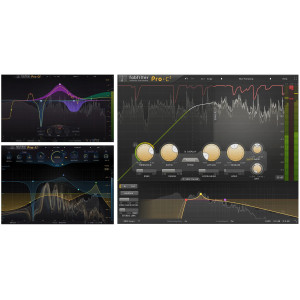
FabFilter Pro-Q 4 Upgrade
Pioneer DJ Controller
Hollywood Tec Bundle 3
  • New official license
  • -24%

FabFilter Pro-Q 4 Upgrade

80 €
Catalog price : 105 € (Save €25)
Need information? Contact us
Zone géographique: Europe

Description

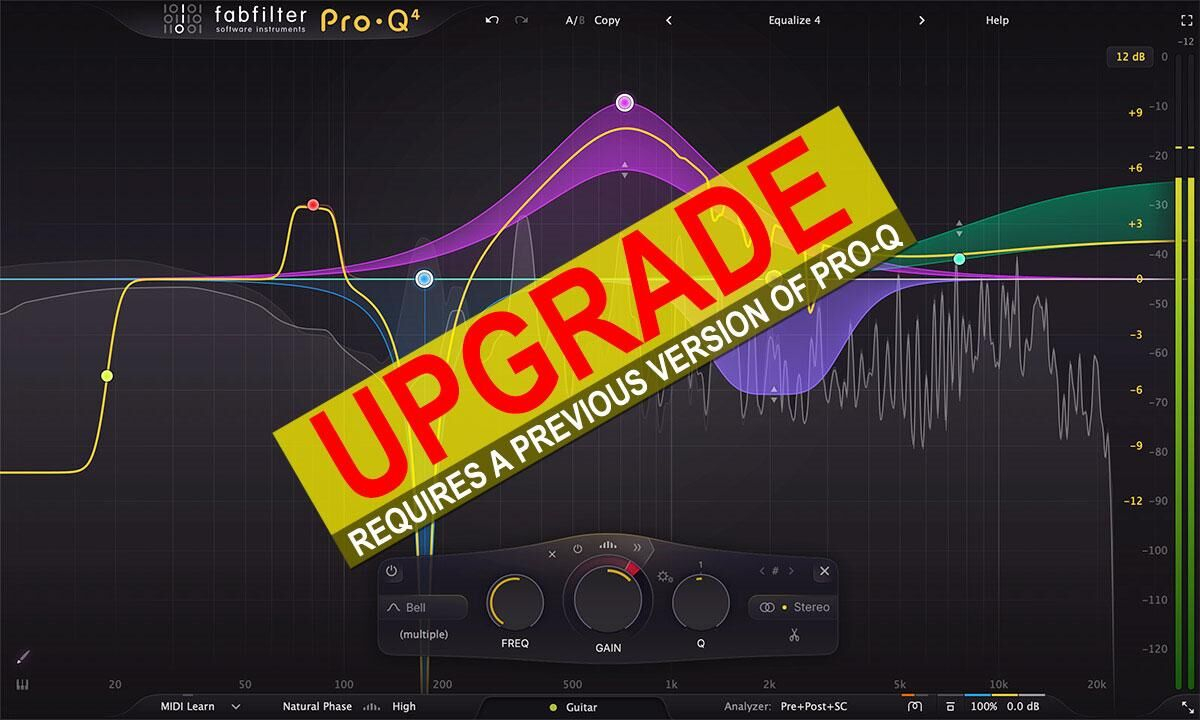
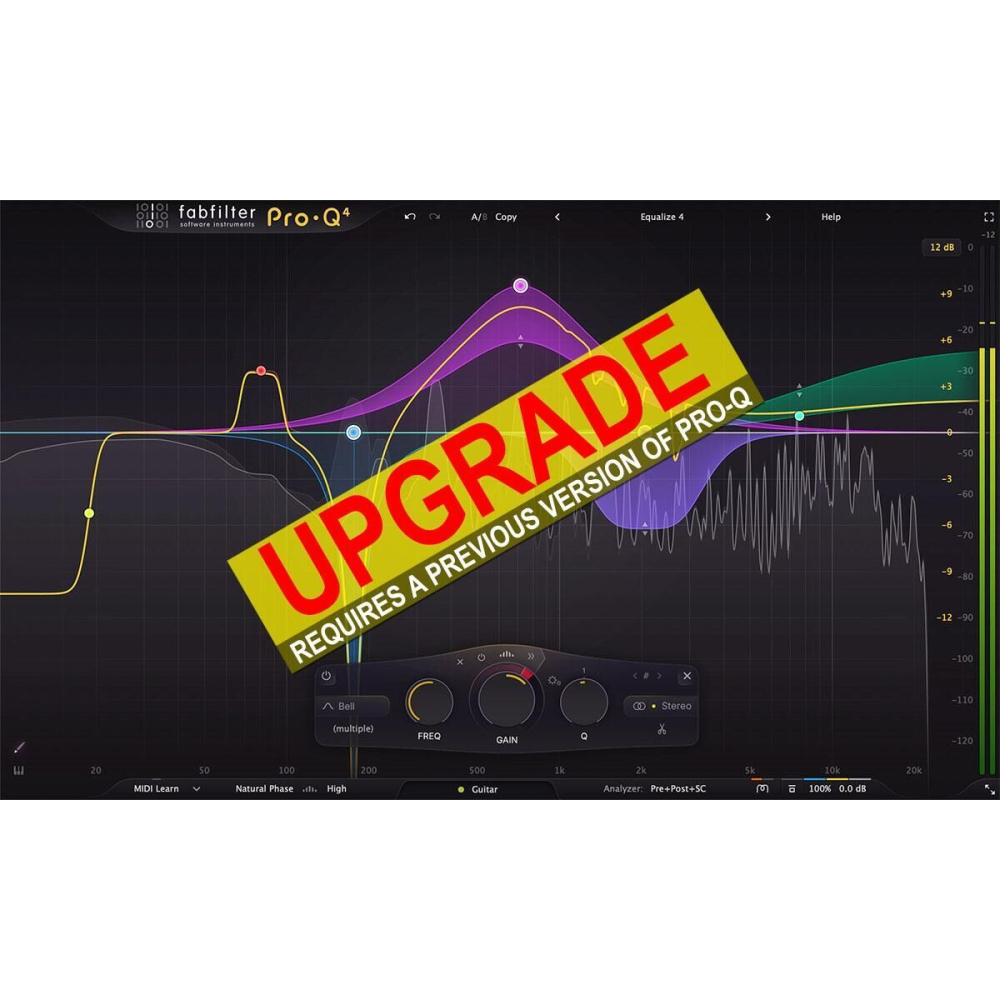
Since 2009, FabFilter Pro-Q has set the EQ standard. Version 4 adds Spectral Dynamics, EQ Sketch, Instance List, vintage saturation, and more.


Mixing and mastering features

FabFilter Pro-Q 4 offers every tool a demanding engineer could wish for: top-quality linear phase operation, zero latency, and unique Natural Phase modes, along with a refined Dynamic EQ that now includes attack and release settings for precise control. Its per-band stereo, mid/side, and left/right processing makes it versatile for any mix, while full surround support up to Dolby Atmos 9.1.6 ensures immersive audio workflows. The updated spectrum analyzer features customizable settings and collision detection, complemented by an intelligent solo function and optional Auto Gain for smooth operation.

Effortlessly sculpt your sound

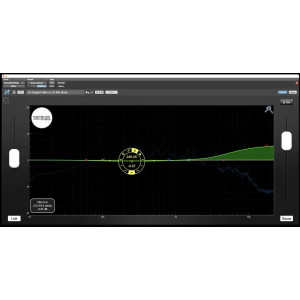
Pro-Q 4's workflow-enhancing features, such as Spectrum Grab, EQ Sketch, and Instance List, make achieving professional results faster than ever. The large interactive EQ display allows seamless band creation, dynamic EQ enablement for any band, and multi-band selection and editing. The Piano Display further enhances precision by letting users adjust band frequencies in musical note values.

FabFilter Pro-Q 4 is designed to help you achieve your sound in the quickest way possible. Via the large interactive EQ display, you can create bands where you need them, enable dynamic EQ for any band, and select and edit multiple bands at once.

FabFilter goodies

Pro-Q 4 retains all the beloved features of its predecessor, Pro-Q 3, while enhancing them with modern upgrades. With up to 24 EQ bands, Natural and Linear Phase processing, universal slope support for all EQ shapes, and dynamic EQ with external side-chain triggering, it delivers unparalleled flexibility. The interface remains as gorgeous and functional as ever, with GPU-powered acceleration, Full Screen mode, multiple display ranges, and intuitive parameter control. MIDI Learn, Pro Tools hardware support, undo/redo, A/B comparison, and an extensive help file round out the package, making Pro-Q 4 a comprehensive tool for every mixing and mastering need.


New in version 4

EQ Sketch

Setting up initial EQ settings in your equalizer often involves adding a few bands to get started, like a low cut filter, a few
bell filters and a high shelf, creating a general starting point. Wouldn't it be great if you could draw that curve in one
gesture? Well... now you can!

Of course, EQ Sketch is not about adding many or very precise bands with specific settings; it's about sketching a global
curve to start with, adding a few initial LP/HP filters, bells and shelves to start with in a fast and easy way. It might even
take a bit of practice to get good at it, but once you do, it's a real time saver, especially in combination with the Instance
list.

Dynamic EQ

One of Pro-Q 4's standout features is dynamic EQ. Any of Pro-Q's bands (with Bell or Shelf shapes) can be made
dynamic, at any slope, with perfect analog matching and in Linear Phase mode.

The dynamic behavior of Pro-Q 4 has been carefully tuned and is highly program dependent: attack, release and knee all
depend on the processed audio, the frequency range of the EQ band and the current dynamic range. This results in very
natural and smooth sounding compression and expansion, useful for a wide range of dynamic EQing applications.

Spectral dynamics

Pro-Q 4 introduces a new variation on dynamic EQ: Spectral dynamics. With traditional dynamic EQ, the gain of an EQ
band depends on the level of the input signal. In Spectral mode, Pro-Q 4 doesn't change the gain of the whole band, but
triggers on specific frequencies within that band when it exceeds the threshold, leaving other frequencies untouched.

Spectral dynamic processing is a great way of treating varying problem frequencies in a much more subtle manner
compared to using traditional dynamic EQing. Typically, you would need a separate, dedicated and often complex plug\u0002in for this type of processing, but Pro-Q 4 makes the process simple to use and easy to understand, as a logical extension
of normal dynamic processing.

Instance List

With Pro-Q 4, you can now control any other Pro-Q 4 instance in your session from a single plug-in interface. This is a
huge time-saver, making it much easier to setup initial EQing when starting a mix session.

Piano display

Using the Piano Display button at the bottom left of Pro-Q's interface, just above the bottom bar, you can toggle between
the normal frequency scale and a piano keyboard display, via which band frequencies can be adjusted as well. The
highlighted keys correspond to an 88-keys grand piano layout, ranging from A0 (27.5 Hz) to C8 (4186.01 Hz).

For every band in the display, there is a corresponding dot on the keyboard. You can interact with the dots in two ways:

While the piano display is active, parameter value displays that show a band's frequency will also show that frequency as
a musical note (including cents offset). Note that at any time, also if the piano display is not showing, you can enter
frequencies as musical notes. For example, you can double-click on the Frequency knob in the band selection controls
and type "D#5 +13", or "A4"

Surround and Dolby Atmos

FabFilter Pro-Q 4 supports all important surround/immersive audio formats, up to 9.1.6 Dolby Atmos (depending on the
DAW and plug-in format). When you add Pro-Q 4 to a surround channel, the interface automatically adapts itself to the
used multi-channel format. The output level meter will show all channels, with appropriate labels to identify them.

In addition, the Stereo Placement button will now give access to a surround panel with more sophisticated options to
choose which speakers are affected by the selected EQ bands.

EQ Match

Lets you choose or record a reference spectrum, compares it to the
spectrum of the current input, and adds new EQ bands to make your audio sound like the reference signal. It gets you
'that' sound in less than a minute.

As the EQ Match process often involves comparing audio of different Pro-Q instances, it is available via the Instance list.
Just hover above an instance item, click the menu button that appears at the center right, and choose EQ Match.

Band Controls

When you select EQ bands in the interactive EQ display, the floating band controls will automatically appear, right under
the selected bands at the bottom of the display. The band controls show the current settings of the selected EQ bands and
enable you to adjust them precisely.

Full Screen mode, resizing and scaling

With just the click of a button, the Pro-Q 4 interface will fill up the whole computer screen for ultra-precise
adjustments and get the best view on the spectrum analyzer and filter display.

Features

  • Highest possible sound quality
  • Up to 24 EQ bands
  • Universal filter slope support for all filter types, up to 96 dB/oct
  • Auto Gain and Gain Scale
  • Optional piano roll display to quantize EQ frequencies to musical notes
  • Different display ranges: 3 dB and 6 dB ranges for mastering, 12 dB and 30 dB for mixing
  • Intelligent solo mode makes it easy to find problem frequencies and hear the effect of a band
  • Phase Invert option to change polarity
  • Large output level meter with peak level readout
  • Operates in zero latency mode, linear phase mode with adjustable latency or the unique Natural Phase mode
  • Different interface sizes and additional Full Screen mode
  • Extreme CPU optimization: Pro-Q 3 uses very little CPU and memory, so you can use hundreds of instances in a session
  • GPU-powered graphics acceleration
  • Double-click text entry of parameter values
  • Supports common Pro Tools hardware control surfaces
  • Undo/redo and A/B comparison
  • Smart Parameter Interpolation
  • Sample-accurate automation of all parameters
  • Extensive help file with interactive help hints
  • Available in VST, VST3, Audio Units, AAX Native and AudioSuite formats (all both 64-bit and 32-bit)
  • Optional Dynamic EQ mode for all bands (Bell and Shelf shapes), using any slope setting and with perfect analog matching, with optional external side chain triggering
  • Gorgeous Retina interface with large interactive EQ display, multi-band selection and editing for maximum ease of use and efficiency
  • Ultra-steep 'Brickwall' slope setting for LP and HP filters
  • Filter shapes: Bell, Notch, High/Low Shelf, High/Low Cut, Band Pass, Tilt Shelf, Flat Tilt
  • EQ Match feature to automatically match the spectrum of another Pro-Q 3 instance or an external signal
  • Built-in spectrum analyzer with Pre-EQ, Post-EQ and external spectrum visualization, adjustable range, speed, resolution, tilt, freeze and collision detection
  • External spectrum visualization from any other Pro-Q 3 instance, including collision detection
  • Per-band mid/side or left/right processing, so you can EQ the mid, side, left or right signals separately
  • Flat Tilt filter shape, a flat tilting correction curve over the whole audible frequency spectrum
  • Spectrum Grab: just grab and adjust a peak in the real-time spectrum analyzer right away!
  • MIDI Learn with option to control the currently active band
  • Full surround support (up to Dolby Atmos 9.1.6) with intelligent speaker selection
Show all description
Hide description
Product Details
Brand: FabFilter
Référence Fabricant : 11-30358

Download Information

  • Instant email delivery.
  • Original brand-new downloadable versions.
  • Green Musicians is an official dealer for the brands.
  • Best price guaranteed and English support.
Instant download Best price guaranteed Official license Authorized reseller Secure transaction 4,500 software available Brand-new original version Customer service 7 days a week English Support

Customer reviews

Similar Articles

From the same editor

Original version.

Green Musicians is an official reseller for software publishers. All the software we offer are new original versions.

Instant download.

Your download link and licence number are emailed to you instantly. You can download 24/7!

Support in English.

We're here to help you make the right choice or help you with installation. We respond as quickly as possible by chat or ticket.

To join the Green musicians community, click on the login button person_outline located at the top right of your screen and select "No account? Create one".

Follow the instructions to create your account by providing the necessary information. Remember to create a strong password. After completing the process, you will receive a confirmation email. Also, check your spam folder in case this email went on tour.

Learn more

We make every effort to ensure that your purchase or sale is carried out under the best possible conditions, safely and with a maximum of services offered. We are your trusted third party!

On Green Musicians, the buyer protection amount is equal to a commission of 5% of the transaction amount + 1 euro.

The seller protection amount is equal to a commission of 5% of the transaction amount.

This fee contributes to the development of our eco-friendly and 100% secure music platform.

The Green Musicians protection allows you to have access to:

  • - Verified listings,
  • - Secure transactions,
  • - Musician customer service,
  • - Split payments,
  • - Negotiated transportation prices.

Learn more

Are you looking for a musical instrument, DJ equipment, a home studio, or sound equipment...?

You're in luck, somewhere a musician is selling theirs on Green Musicians! Give it a new life!

Green Musicians allows you to:

Free consultation of classified ads from individuals and professionals on a platform dedicated to musicians.

Secure the transaction, you unlock the transaction amount after delivery and if you are fully satisfied.

Split the payment for your purchase up to 12 times starting from 69 euros.

Pay less for shipping, the shipping fees offered are negotiated by Green Musicians with carriers.

Learn more

Green Musicians is for anyone who wants to sell: whether it's you, your sister-in-law, or even Aunt Martine...

Professional music stores also have the opportunity to post ads for used musical instruments and offer services and warranties. With you, we want to make music accessible to everyone by giving musical instruments a second, third, fourth life.
With Green Musicians, sell quickly, at the right price, and safely to a passionate buyer like yourself. Be sure that they will take the utmost care of your instrument and make it sing again!

To list your items online, simply click on the "Sell" option and follow the instructions provided by our listing form. Guess what? Listing your items is free!

As a seller, Green Musicians allows you:

To benefit from our communication campaigns dedicated to advertisers, which generate significant qualified traffic of potential buyers.

To have your own integrated shop on Green Musicians to highlight all your listings, your profile, or your company presentation.

To easily create your listing using our suggestion engine connected to an integrated article database.

To optimize the shipping costs offered to your buyers with our integrated transport solutions that benefit from negotiated rates.

To be attractive by allowing your buyers to use multiple payment methods: 3X, 4X, 12X, PayPal, Apple Pay.

Learn more

At Green Musicians, we offer you a wide selection of really cool software and plugins that you might not be familiar with, and we're proud to be able to offer them to you, some of them even for free to try before you buy.

See all software

At Green Musicians, we offer several delivery options.

You can choose from:

  • - Mondial Relay: for your order to arrive in rhythm right next to your home or office!
  • - Chronopost Shop2Shop: for a delivery that grooves in one of the 16,000 collection points.
  • - Colissimo Suivi: the classic, but always effective!
  • - Chronopost 24h: for those in a hurry!

It's up to you to choose when you place your order. You will receive a tracking number so you can track the progress of your delivery.

Delivery fees vary depending on the weight and size of the package. You will see the amount displayed when you add your items to the cart. They are calculated automatically!

Learn more

On Green Musicians, you can make your purchases with peace of mind. The information you provide during payment is securely and encryptedly sent directly to our banking partner, MangoPay.

Green Musicians does not store or access your banking details. The amount will only be charged once the seller has confirmed that the item is available (48 hours after ordering). If the item is not available, no amount will be deducted.

You unlock the transaction amount after delivery and if you are fully satisfied.

You can pay for your purchase with a credit card, through our partner MangoPay. You also have the option to use your Green Musicians wallet, where you can store the money from your sales. If the amount in your wallet is not sufficient, you can pay part of it with the wallet and the rest with your credit card. We also offer payment in installments in 3X, 4X, 10X, 12X, PayPal, and Apple Pay.

Learn more