Advanced AAF and PTX automation for Pro Tools. Multi-session workflows, clip-level metadata, built for post facilities.
Everything needed to turn AAFs into mix-ready sessions
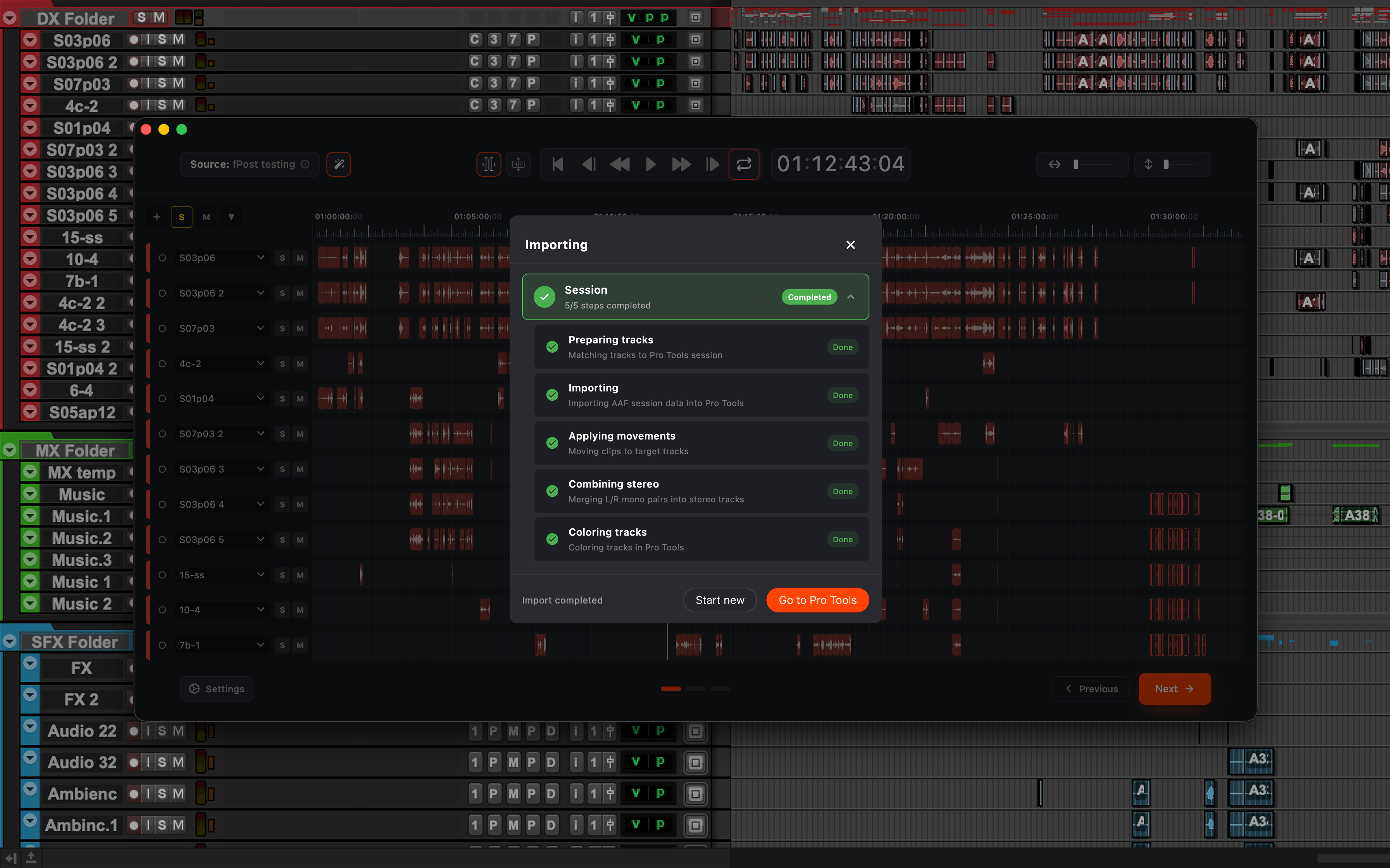
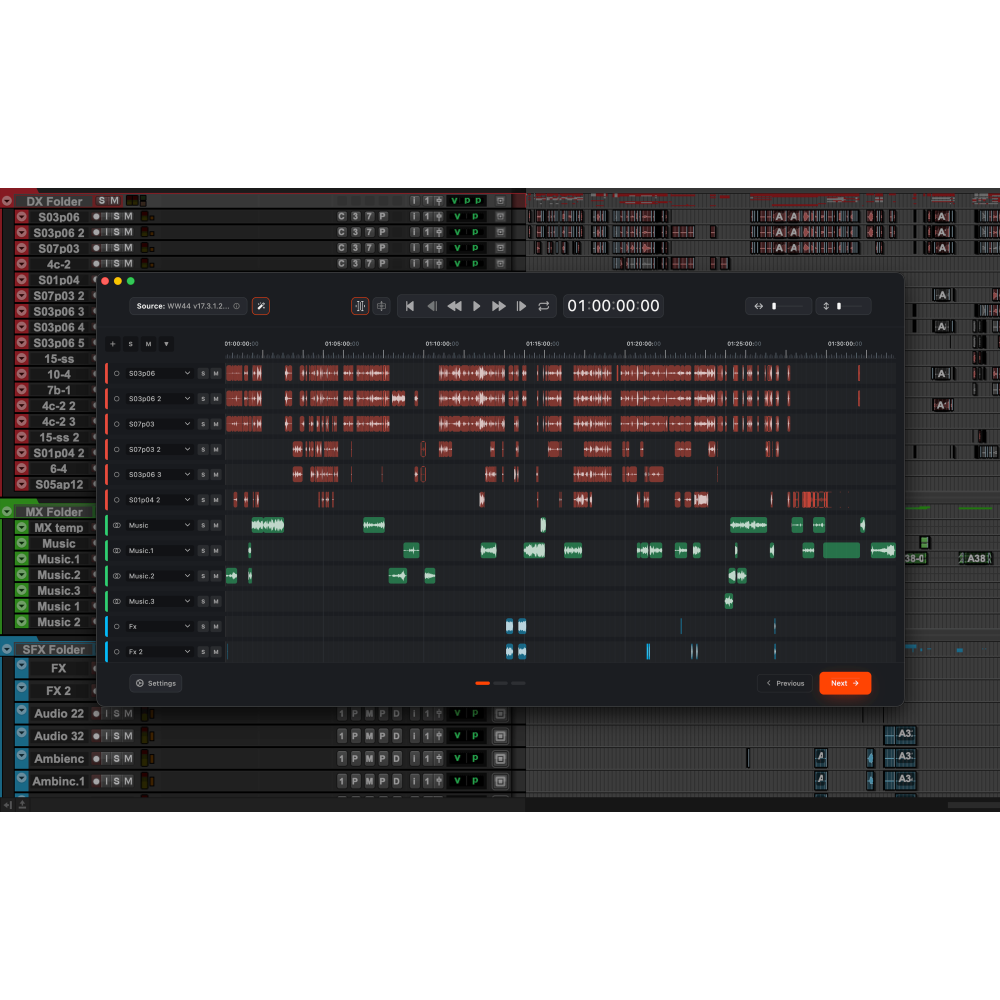
An AAF is a dump of the video editor's timeline: hundreds of clips on unorganised tracks, inconsistent naming, no classification. fPost Suite automates the entire preparation. It imports the material into your own Pro Tools template, classifies every clip as dialogue, music or effects using naming, embedded broadcast metadata and an on-device machine-learning model, places everything at frame-accurate source timecode, and backs up the original AAF before touching anything. Work that takes 30 minutes to 2 hours by hand takes about 30 seconds. On top of that complete single-project workflow, Suite adds the capabilities a facility needs when volume, teams and downstream accountability come into play.
Batch import for episodic and high-volume work
Import many AAFs together into one template with automatic timecode offsets, which is exactly the shape of episodic television where every episode arrives as its own file. Two merge modes cover the different ways facilities want the result: preserved keeps each AAF as its own block of tracks, faithful to the editor's delivery, while consolidated packs clips onto the fewest shared tracks, channel-aware so left and right pairs never mix.
Metadata forensics: know what will conform before you start
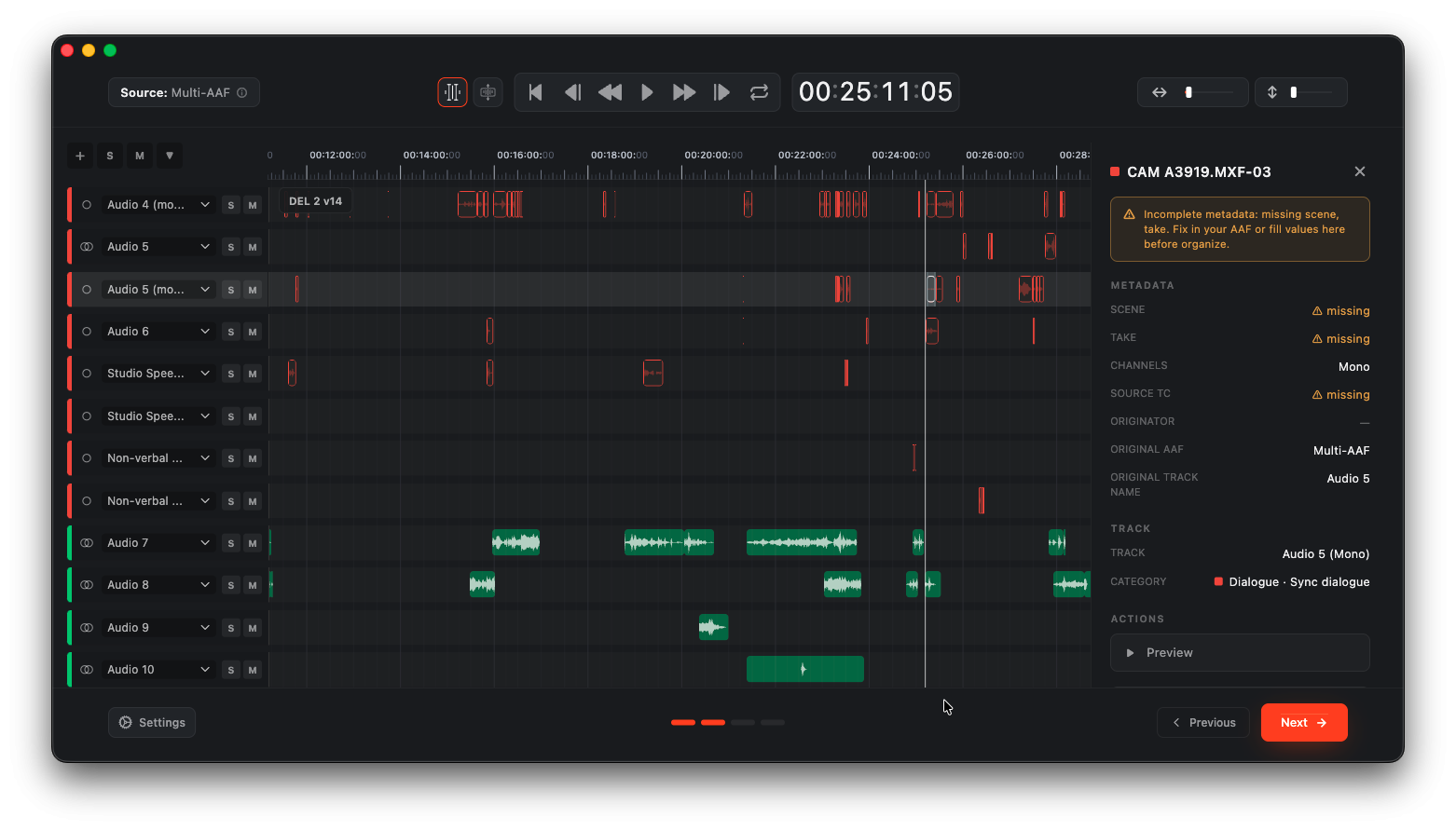
Suite extracts per-clip source metadata from the production data embedded in the AAF: scene, take, channel name and origin timecode, all visible and copyable. Every clip is then flagged green or red according to whether it carries everything needed for an automatic conform, so problems surface before work begins rather than halfway through. Note that fPost does not perform the conform itself: it tells you which clips are conformable and hands off to dedicated conform tools.
Subcategory detection beyond the three macro categories
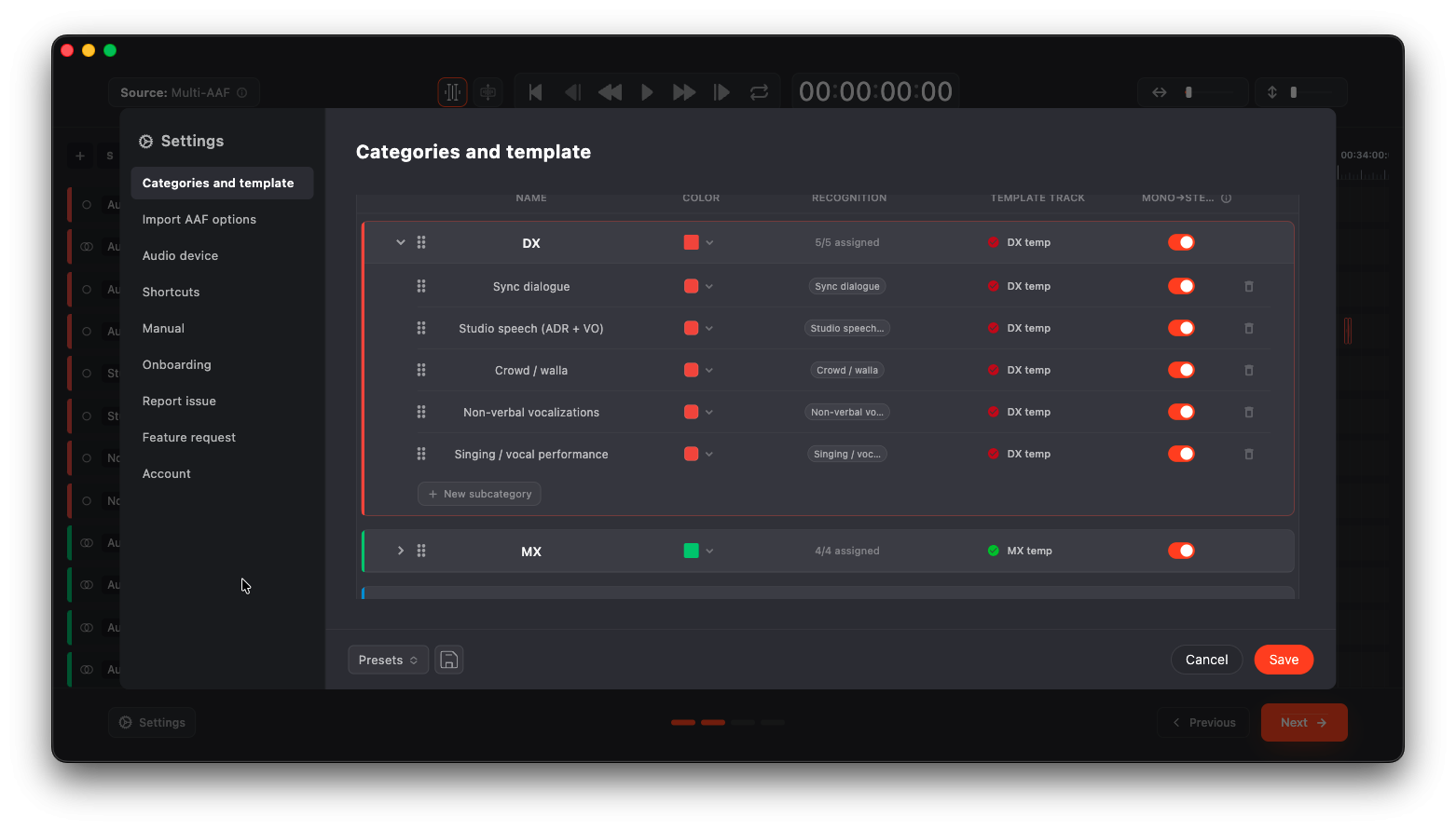
Where Studio classifies into dialogue, music and effects, Suite goes deeper. Dialogue splits into voice-over, production dialogue, ADR, efforts and walla, with a flag for English-language dialogue. Music stems are identified individually. Effects are separated into hits, whooshes, rises and ambience. Template mapping follows the same depth, so you can send ambience to one template track and ADR to another rather than mapping a single effects bucket.
Session splitting the way your facility actually works
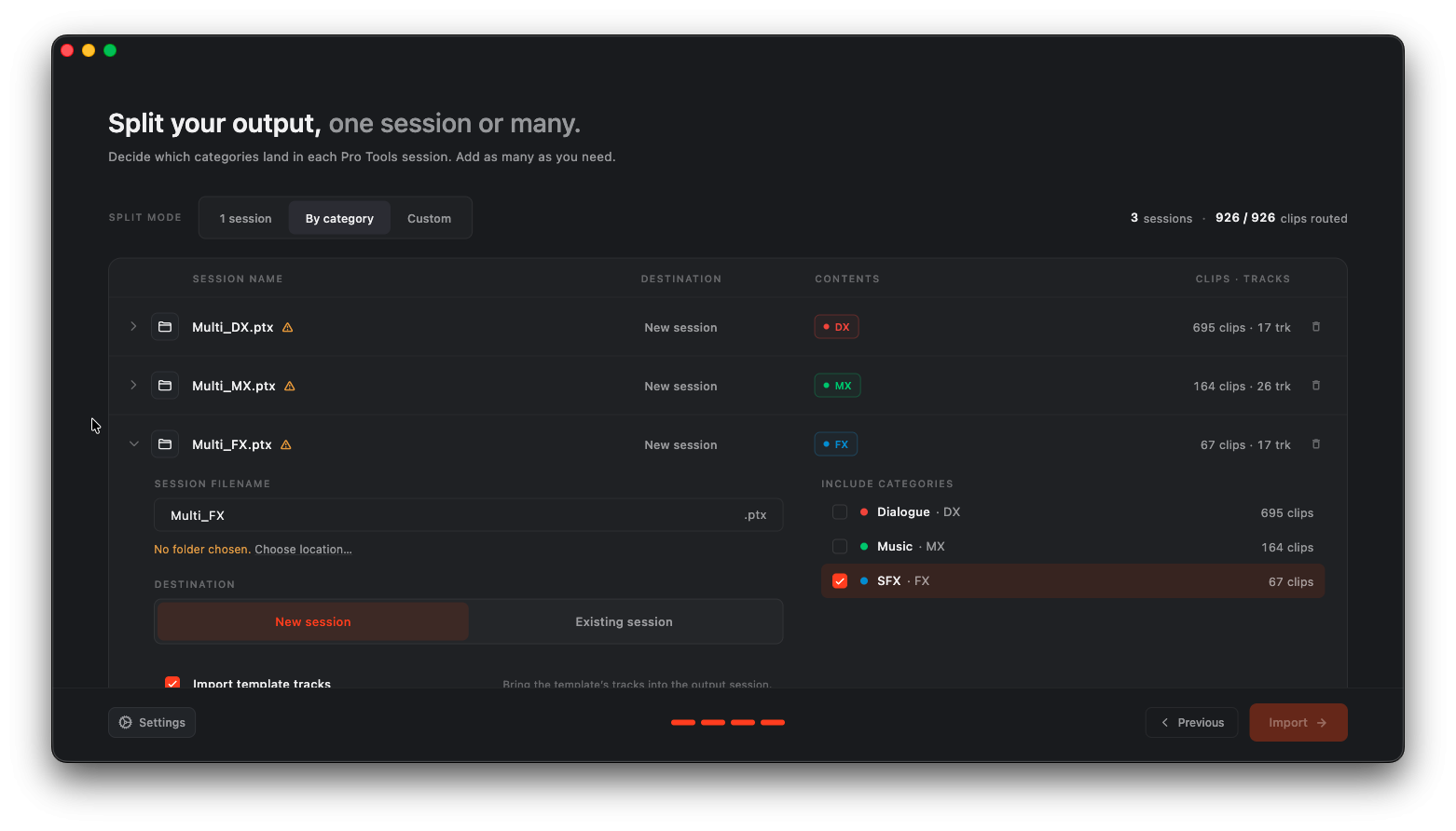
Feature film work has dialogue, music and effects editors working in parallel on separate sessions, and no two facilities split the same way. Suite lets you compose output sessions by category with full freedom: all three departments separated, or music and effects together with dialogue isolated, or any other combination. For each output session you choose the starting point, an existing session, a template, the session currently open, or a brand new empty one, and can add your template tracks into any of them.
Fully on-device
All analysis, classification and metadata extraction run locally on the user's Mac. No cloud processing, no uploads. Essential for facilities handling pre-release or confidential material.
Features
Completeness flagging: every clip marked green or red for automatic conform readiness (fPost flags conformability, it does not perform the conform)
Deep subcategory detection: voice-over, dialogue, ADR, efforts and walla, individual music stems, and hits, whooshes, rises and ambience
Per-subcategory template mapping, one level deeper than category-level matching
Session splitting with free composition by category, into existing sessions, templates, the open session or new empty ones
Import into your own Pro Tools template, with template tracks duplicated so plugins, sends and routing carry over intact
Existing session routing is never modified: import only adds tracks and clips
Classification from three combined signals: naming, embedded broadcast metadata, and an on-device machine-learning model
Stereo pair detection that locks matching left and right mono files together before classification
Frame-accurate source timecode placement, displayed as HH:MM:SS:FF throughout, with manual offset control
Automatic carbon copy backup of the original AAF before processing
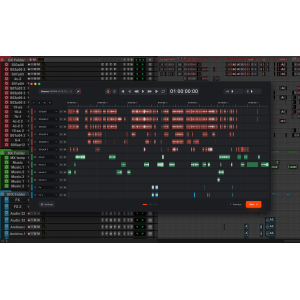
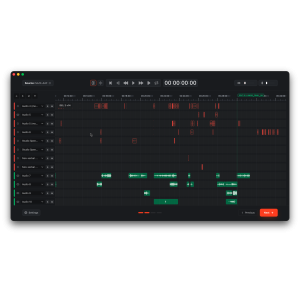
Full visualizer with timeline view, clip playback and clip metadata on hover
Preset system for switching configuration per project type, accessible from the main window
Runs entirely on-device with no cloud dependency
Batch import of multiple AAFs into one template with automatic timecode offsets
Two merge modes: preserved keeps each AAF as its own track block, consolidated packs clips onto the fewest shared tracks, channel-aware
Per-clip source metadata extraction: scene, take, channel name and origin timecode, visible and copyable
Frequently Asked Questions
Who is fPost Suite intended for?
fPost Suite is designed for post-production facilities, Pro Tools engineers, and dialogue, music, and effects editors who handle AAF deliveries from video editing timelines. It is especially suited to teams working on episodic television, feature films, or high-volume projects where multiple AAFs must be processed efficiently and consistently, and where confidentiality of pre-release material is a priority.
What quality and accuracy benefits does fPost Suite deliver?
fPost Suite ensures frame-accurate source timecode placement, classifies clips through three combined signals (naming, embedded broadcast metadata, and an on-device machine-learning model), and flags every clip green or red for automatic conform readiness before work begins. Its deep subcategory detection distinguishes voice-over, production dialogue, ADR, efforts, walla, individual music stems, hits, whooshes, rises, and ambience. Stereo pair detection locks matching left and right mono files, template tracks carry over plugins, sends, and routing intact, and the original AAF is automatically backed up before any processing. Existing session routing is never modified.
What makes fPost Suite stand out from other AAF preparation tools?
fPost Suite runs entirely on-device with no cloud dependency, making it safe for pre-release and confidential material. It supports batch import of multiple AAFs into a single template with automatic timecode offsets, offers two merge modes (preserved and consolidated), and provides fully flexible session splitting across existing sessions, templates, the open session, or new empty sessions. Per-subcategory template mapping goes one level deeper than category-level matching, and the built-in visualizer delivers a timeline view with clip playback and metadata on hover.
État : New
Compatibility : license computer, os mac
Feature 1 : Completeness flagging: every clip marked green or red for automatic conform readiness (fPost flags conformability, it does not perform the conform)
Feature 2 : Deep subcategory detection: voice-over, dialogue, ADR, efforts and walla, individual music stems, and hits, whooshes, rises and ambience
Feature 4 : Session splitting with free composition by category, into existing sessions, templates, the open session or new empty ones
MAC Additional Requirements : Pro Tools 2024.3+
Billing Type : subscription-annually
Rental Term : 0
Download : https://www.forte-ai.com/download/fpost
Trial Available : false
Last Updated : 2026-08-18 08:14:11.463
Feature 3 : Per-subcategory template mapping, one level deeper than category-level matching
Feature 5 : Import into your own Pro Tools template, with template tracks duplicated so plugins, sends and routing carry over intact
MAC Minimum RAM : 0 GB
MAC Minimum Version : 13+
Feature 7 : Classification from three combined signals: naming, embedded broadcast metadata, and an on-device machine-learning model
Feature 6 : Existing session routing is never modified: import only adds tracks and clips
Feature 8 : Stereo pair detection that locks matching left and right mono files together before classification
Feature 9 : Frame-accurate source timecode placement, displayed as HH:MM:SS:FF throughout, with manual offset control
Feature 10 : Automatic carbon copy backup of the original AAF before processing
Feature 11 : Full visualizer with timeline view, clip playback and clip metadata on hover
Feature 12 : Preset system for switching configuration per project type, accessible from the main window
Feature 13 : Runs entirely on-device with no cloud dependency
Feature 14 : Batch import of multiple AAFs into one template with automatic timecode offsets
Feature 15 : Two merge modes: preserved keeps each AAF as its own track block, consolidated packs clips onto the fewest shared tracks, channel-aware
Feature 16 : Per-clip source metadata extraction: scene, take, channel name and origin timecode, visible and copyable


 Watch the video